How to Run a Google Advertising Campaign: Comprehensive Guide
In the era of digital marketing, Google Ads is one of the most powerful tools for reaching potential customers and driving business growth. With over 8.5 billion daily searches on Google search engine, Google advertising campaigns provide a golden opportunity to appear before the right audience at the right time. In this article, we'll explain how to run a Google advertising campaign step by step, with tips to achieve the best results.
Last edited: 16 September 2026
- Business Planning
What is Google Ads?
Google Ads is a paid advertising platform that allows businesses and individuals to display their ads across Google's vast network, which includes:
- Search Results: Text ads that appear at the top or bottom of search results pages.
- Display Network: Visual ads (images or banners) that appear on partner websites.
- YouTube: Video ads that appear before or during video content.
- Apps and Shopping: Ads for promoting mobile apps or e-commerce products.
Google Ads operates on a pay-per-click (PPC) system, meaning you only pay when someone clicks on your ad, making it cost-effective.
How Does a Google Advertising Campaign Work?
To create a successful Google advertising campaign, you need to follow a series of organized steps within the Google Ads platform. Here's how the campaign works:
1. Creating a Google Ads Account
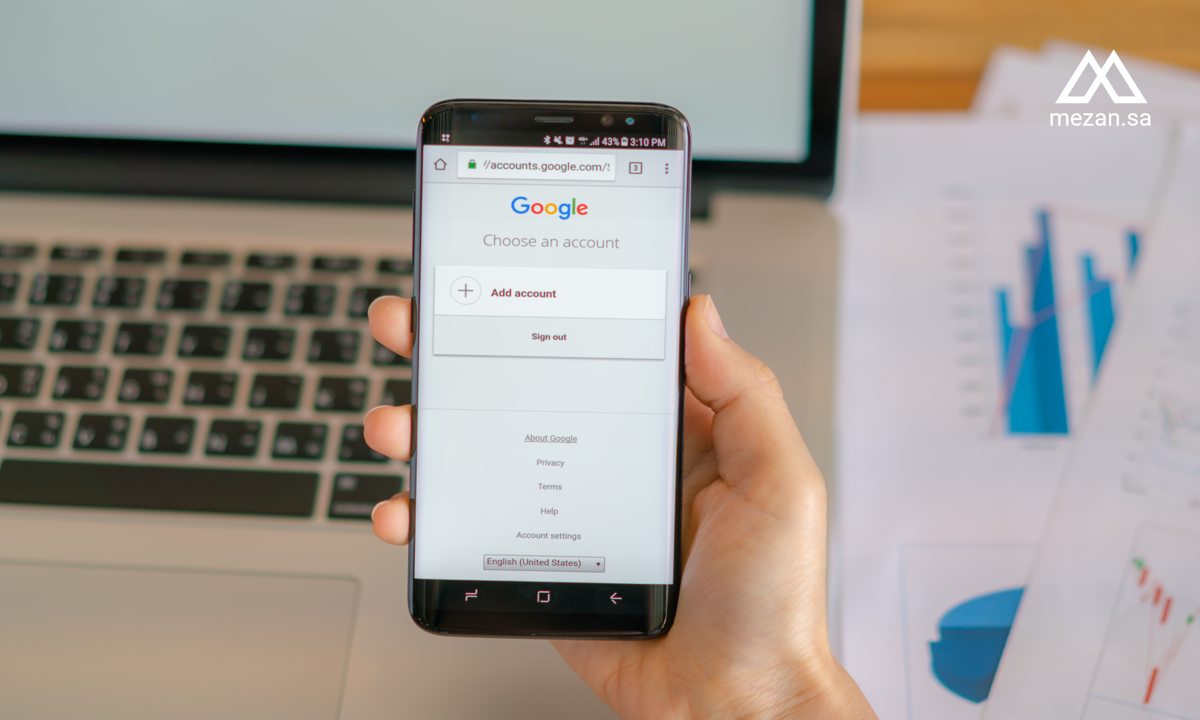
The first step is to register on the Google Ads platform using a Google account (Gmail). After registration, you'll enter basic information such as business name, currency, and time zone. Choose Expert Mode to get full control over settings, as it provides advanced options for campaign customization.
2. Setting Advertising Goals
Before creating the campaign, you must clearly define your goal. Google Ads offers several objectives, such as:
- Increase Website Traffic: Attract users to visit specific pages.
- Increase Sales or Conversions: Encourage customers to purchase or register.
- Brand Awareness: Reach a wider audience.
- App Promotion: Increase mobile app downloads.
- Phone Calls: Attract customers to call you directly.
Choosing your goal determines the appropriate campaign type and guides its settings.
3. Choosing Campaign Type
Google Ads provides different types of campaigns based on your objectives:
- Search Campaigns: Text ads that appear in search results, ideal for targeting customers searching for your products or services.
- Display Campaigns: Visual ads that appear on partner sites, effective for increasing brand awareness.
- Video Campaigns: Ads on YouTube for telling your brand story.
- Shopping Campaigns: Display products directly in search results with images and prices.
- App Campaigns: Promote mobile apps through Google Play and YouTube.
- Performance Max Campaigns: Automated campaigns covering all Google channels.
4. Audience Targeting
Targeting the right audience is the key to success. You can customize your audience based on:
- Geographic Location: Target specific cities or countries.
- Language: Choose audience language.
- Interests and Behaviors: Target users based on their interests.
- Devices: Determine whether you're targeting mobile phones or computers.
- Remarketing: Reach people who previously visited your website.
5. Choosing Keywords
Keywords are the backbone of search campaigns. Use tools like Google Keyword Planner to identify words your audience searches for. Choose keywords with high purchase intent, such as "buy new phone" instead of "types of phones." You can use match types:
- Exact Match: [buy new phone] to target the exact phrase.
- Phrase Match: "buy new phone" to include additional words.
- Broad Match: buy new phone to include synonyms or similar phrases.
- Negative Keywords: such as -free to avoid appearing in unwanted searches.
6. Creating the Ad
Write an attractive ad that contains:
- Strong Headline: Include the keyword and grab attention (like "Buy Your New Phone Now").
- Compelling Description: Highlight product or service benefits.
- Direct Link: Direct users to an optimized landing page.
- Ad Extensions: Such as site links, phone numbers, or promotional offers to improve performance.
7. Setting Budget and Bidding Strategy
Set your daily budget and bidding strategy:
- Cost Per Click (CPC): Pay only when the ad is clicked.
- Maximize Clicks: Get the most clicks within your budget.
- Maximize Conversions: Achieve the most actions (like sales).
8. Optimizing Landing Page
The landing page is where users arrive after clicking your ad. Make sure it has:
- Fast Loading Speed: Quick response page.
- Responsive Design: Compatible with phones and computers.
- Clear Call-to-Action (CTA): Such as "Buy Now" or "Register Now".
9. Tracking and Analyzing Performance
After launching the campaign, use the Google Ads dashboard to monitor:
- Click-Through Rate (CTR): Ratio of clicks to impressions.
- Cost Per Click (CPC): Average cost per click.
- Conversion Rate: Number of users who completed the desired action.
- Return on Investment (ROI): Campaign effectiveness in generating profits.
How to Pause or Stop Your Ads
Managing your advertising campaigns includes knowing when and how to pause or stop your ads. Here's how to control your campaign status:
Pausing Individual Ads
- Navigate to your campaign in Google Ads dashboard
- Go to the "Ads & Extensions" tab
- Find the specific ad you want to pause
- Click the toggle switch next to the ad to pause it
- The ad status will change to "Paused" and will stop showing immediately
Pausing Entire Campaigns
- Go to the "Campaigns" tab in your account
- Find the campaign you want to pause
- Click the toggle switch next to the campaign name
- All ads within that campaign will stop running
Stopping Ads Permanently
- To permanently remove an ad, select it and choose "Remove"
- For campaigns, you can either pause them indefinitely or remove them entirely
- Remember that removed campaigns cannot be recovered, so pausing is often the safer option
Scheduling Ad Breaks
- Use "Ad Schedule" settings to automatically pause ads during specific hours or days
- This is useful for businesses that only operate during certain hours
- You can also adjust bids for different time periods instead of completely stopping ads
Pausing gives you flexibility to restart anytime, while removal is permanent. Most advertisers prefer pausing to maintain their campaign history and performance data.
Tips for Improving Your Advertising Campaign
- A/B Testing: Try different headlines and descriptions to determine the best performing ones.
- Improve Ad Quality: Ensure your ad and landing page are relevant to keywords to improve Quality Score, which reduces cost and increases visibility.
- Remarketing: Target previous website visitors with customized ads.
- Regular Review: Analyze data and adjust the campaign based on results.
Frequently Asked Questions About Google Ads
1. How much do Google Ads cost?
There's no fixed cost for Google Ads. You set the daily budget and pay according to the pay-per-click (PPC) system. Cost depends on keyword competition and ad quality.
2. What is the minimum daily budget?
There's no required minimum, but a budget of at least $10-20 daily is recommended to see tangible results and get enough data to optimize the campaign.
3. How long does a campaign take to show results?
Your ads can appear as soon as the campaign is activated, but to see reliable performance results and data, it's recommended to wait at least 2-4 weeks.
4. What is Quality Score and how does it affect the campaign?
Quality Score is Google's assessment of your ad and landing page quality. The higher this score, the lower your cost per click and the better your ad placement opportunities.
5. Can I stop the campaign at any time?
Yes, you can stop or modify your campaign at any time. Google Ads provides complete flexibility in managing budgets and campaigns without any long-term commitments.
6. What's the difference between search ads and display ads?
Search ads appear in search results when someone searches for a keyword, while display ads appear on partner websites to attract attention and increase brand awareness.
Conclusion
Google Ads provides an exceptional opportunity to reach your ideal customers at the right time and place. By understanding the basics and applying best practices, you can build effective advertising campaigns that achieve your marketing goals and increase business growth. Remember that success in Google Ads requires patience and continuous improvement, as each campaign is an opportunity to learn and develop your advertising strategy.
Book a free business consultation
Tell us about your business. We’ll see if Mezan can help you.
Book your consultation